
Running a small business means answering customers, managing the day’s work, and planning what comes next, often with the same small team. AI can help with parts of that workload. It can draft a routine email, organize notes, answer a common question, or direct a caller to the right person. It cannot reliably judge every unusual situation, verify its own answers, or provide the care a customer may need when something goes wrong.
The most useful approach to AI for small business is to choose a specific task, give the tool clear instructions, and decide when a person should step in. You don’t need to automate your entire business to see a benefit.
Key Takeaways
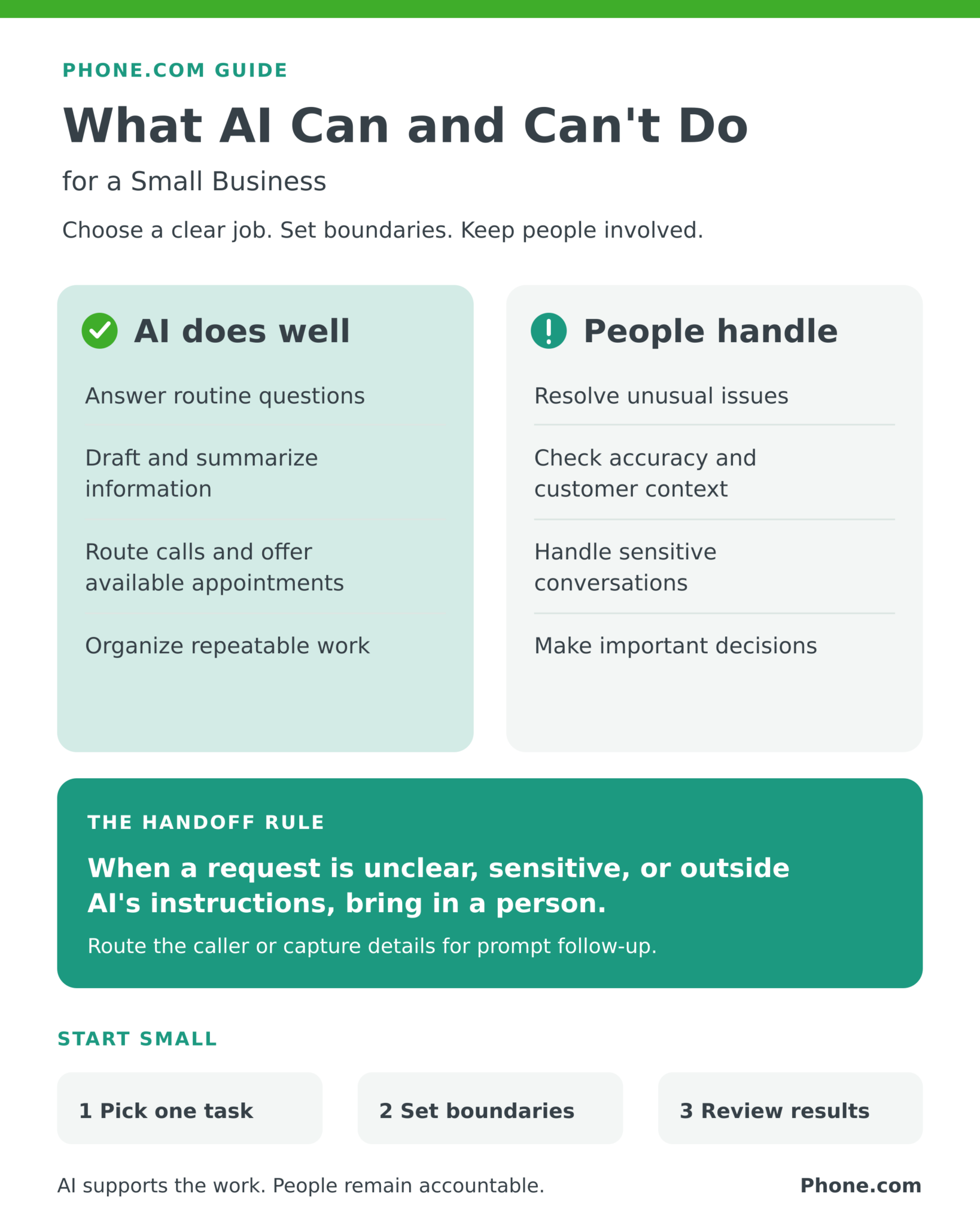
- AI works well for repeatable tasks with clear instructions, such as first drafts, information summaries, common customer questions, and basic call routing.
- AI output still needs review. A confident answer can be wrong, incomplete, or out of date.
- Keep a clear path to a person for complaints, exceptions, sensitive matters, and decisions requiring judgment.
- Start with one problem and measure results such as time saved, response rate, missed calls, and customer feedback.
- Check a tool’s privacy practices before sharing customer or confidential business information.
What can AI do for a small business?
AI is more accessible than it once was, but small business AI solutions vary widely. A writing assistant, a scheduling tool, and an AI phone assistant solve different problems. You may get more value from improving one busy part of your day than from adding AI to every workflow.
Handle routine customer communication
An AI tool can answer common questions about hours, locations, or services when you provide accurate information. Depending on the product and setup, it may route a call, collect details, help schedule an appointment, or prepare a follow-up for an employee to review. This kind of AI customer service can be especially useful when staff are with customers or calls come in after hours.
The boundary matters: a request for store hours is different from a dispute about a bill. Design the workflow so unusual or sensitive requests reach a person. For more on the call-handling use case, see how AI phone assistants are changing small business customer service and what an AI phone assistant can do.
Reduce repetitive administrative work
AI can turn rough notes into a draft summary, outline a checklist, organize information, or produce a first draft of a routine message. Employees can then correct details and make the final decision. For a busy owner, saving a few minutes on a task repeated many times may matter more than a feature used once.
Help with marketing and planning
AI productivity tools can suggest campaign angles, outline a blog post, adapt approved content for another channel, or help organize research questions. Treat the result as a starting point. Check facts and links, apply your own expertise, and make sure the final content sounds like your business. AI should not invent customer stories, results, or claims.
Find patterns in business information
With appropriate data and tools, AI can help a team sort requests, summarize customer feedback, or spot recurring questions. Someone still needs to check whether the data is complete and whether the pattern reflects reality. Business automation is most useful when it supports a known workflow and people can inspect the outcome.
What can’t AI reliably do on its own?
AI can generate a plausible answer without knowing whether that answer is true. It may miss a customer’s intent, overlook a detail that changes the answer, or give outdated information. The National Institute of Standards and Technology’s AI Risk Management Framework addresses issues such as validity, reliability, privacy, and accountability throughout an AI system’s use.
AI also cannot take responsibility for a promise made to a customer or replace professional judgment in a complex situation. A customer who is upset, a case with missing information, or a decision with financial or legal consequences may require an employee or qualified professional. Automation can collect context and speed up a handoff; the person receiving it must be able to act.
Privacy deserves attention, too. Before entering customer records or confidential information into a tool, understand what information it collects, how it is used and retained, and who can access it. The Federal Trade Commission has warned AI companies about protecting users’ privacy and confidentiality. Ask vendors direct questions rather than assuming every tool handles information the same way.
Where do AI and employees work best together?
Give AI the predictable first step and give people the judgment call. Consider a home service business that gets an after-hours call about an appointment. An AI phone assistant could answer a question about service hours, gather the caller’s name, and offer a time if scheduling is configured. If the caller describes an urgent problem outside its instructions or has a complicated complaint, the assistant should route the call when possible or capture it for prompt human follow-up. This is an illustrative workflow; capabilities depend on the tool and its setup.
The handoff is part of the customer experience. Tell the tool what it can answer, what it should avoid answering, where calls should go, and what happens when no employee is available. Test those situations before relying on automation. Our related article explores how to keep the human touch in AI-assisted customer service.
Insights from Phone.com: In business communication, the goal is to make it easier for a customer to reach the right help. A practical call flow begins with the questions your team answers repeatedly, then identifies the calls that need a person: a complaint, a nuanced sales question, or an issue the system cannot resolve. Give callers a clear next step when no one can take the call immediately. Review real interactions and adjust the instructions as your business changes. The number of features matters less than whether the experience works for callers and staff.
Phone.com’s AI Receptionist is one example of this approach. Based on the business instructions you configure, it can answer common questions using your business information, route callers, and schedule appointments through a connected Google or Outlook calendar. Those capabilities can help a small team stay accessible while employees focus on work that needs them.
How can you decide if AI is worth using?
Start with a problem, not a product. Ask:
- Which task interrupts the team most often or takes too much time?
- Is it repetitive, with answers or steps you can clearly define?
- What would a mistake cost a customer or the business?
- When and how will an employee take over?
- What customer information will the tool need, and how will the vendor handle it?
- Which result will show that it is helping
Then run a limited trial. For example, if missed calls are the problem, record your current missed-call volume and after-hours inquiries. Set up a small group of common questions and a clear handoff process. After the trial, compare the numbers and listen to customer and employee feedback. If callers still repeat themselves or important requests are being mishandled, revise the workflow before expanding it. Learn how response time shapes customer trust in the wider customer experience.
How can you use AI without creating new problems?
- Review important outputs. Check customer-facing answers, published content, and decisions with meaningful consequences.
- Use approved information. Keep hours, policies, prices, and scheduling rules current so the tool has accurate material to work from.
- Set limits and handoffs. Specify what AI may do, what it must leave to employees, and how it should respond when uncertain.
- Protect information. Understand a vendor’s privacy and security practices before entering sensitive data.
- Test real scenarios. Try common questions, ambiguous requests, complaints, and after-hours calls.
- Watch the outcome. Track response times, missed calls, time saved, corrections, and customer feedback rather than just counting automated interactions.
NIST’s Generative AI Profile describes risk management practices suited to a system’s use and impact, including human review where appropriate. A small business can begin applying that principle by assigning someone to review the results and make adjustments. nvlpubs.nist.gov
Frequently Asked Questions
Is AI worth it for a very small business?
It can be if a specific recurring task consumes time or leaves customers waiting. Begin with one use case, estimate its cost, and compare the time or service improvement against the tool’s expense and the work needed to manage it.
Can AI answer all of my customer calls?
An AI receptionist can handle many routine calls when it has accurate instructions and appropriate routing rules. It will not be the right final stop for every caller. Plan for exceptions, complaints, and requests that need human judgment.
Can I trust AI-generated marketing content?
Use it as a draft, then verify every factual claim, link, and customer example before publication. An AI-generated sentence can sound certain even when the information is incorrect or outdated.
How do I keep AI from frustrating customers?
Keep answers focused, test likely questions, avoid trapping callers in a loop, and provide a clear way to reach or hear back from a person. Monitor actual interactions and correct recurring failures.
What should I measure in an AI pilot?
Choose measures tied to the original problem, such as staff time spent on routine work, after-hours response rate, missed calls, appointment requests handled, corrections needed, and customer satisfaction. Compare them with a baseline from before the pilot.
Start with one useful job
AI for business is most valuable when it solves a real problem within clear boundaries. Choose a task your team repeats, make the information and handoff reliable, and keep checking the experience for the people on both sides of the interaction. If missed calls or routine phone questions are your starting point, explore Phone.com’s AI Receptionist to see how it fits your call flow.