
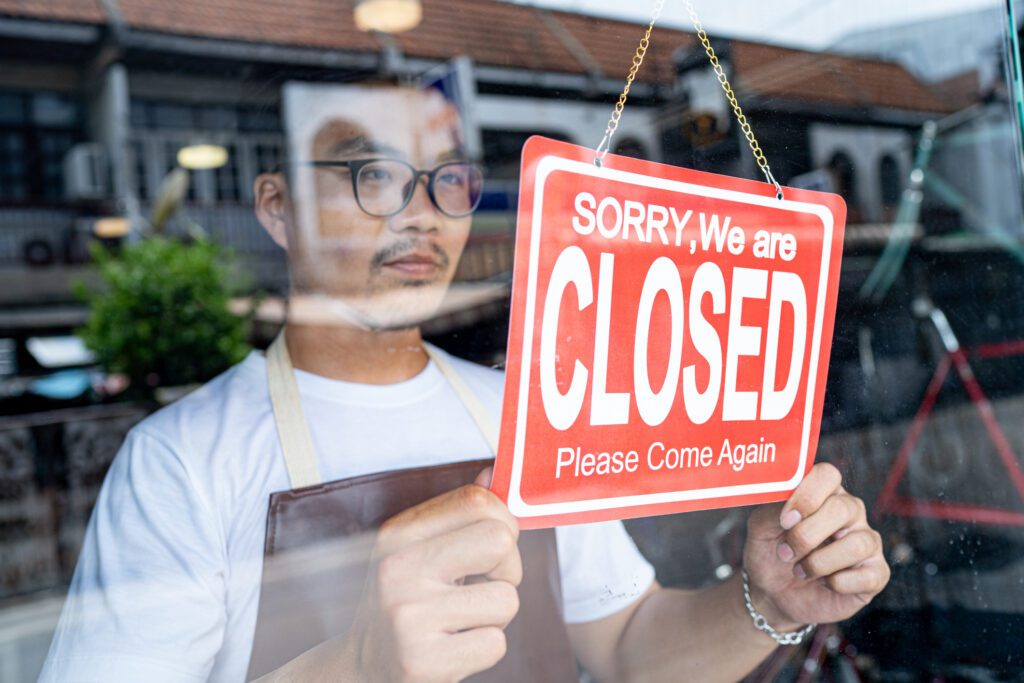
A potential customer finishes dinner and calls to ask about an estimate. An existing client remembers a question after your office closes. Someone wants to book an appointment before tomorrow’s workday begins.
Your team may be off the clock, but callers still need a clear next step.
Virtual reception helps businesses handle calls when employees are unavailable. Depending on the service, it can answer questions, collect messages, route calls, or support appointment scheduling. With the right setup, your business can stay responsive after hours without staffing an office around the clock.
Key Takeaways
- Virtual reception gives after-hours callers a way to get information, leave useful details, or reach an appropriate next step.
- A live answering service, an AI phone assistant, and an automated phone system handle calls differently. Features and coverage vary.
- Answering a call 24/7 does not necessarily mean resolving every issue 24/7. Clear callback expectations matter.
- Effective after-hours coverage depends on accurate business information, tested routing rules, and a reliable follow-up process.
- The right approach should support customers while helping owners and employees protect their time away from work.
What Is Virtual Reception?
Virtual reception is call handling provided remotely by people, software, or a combination of both. Unlike a traditional in-office receptionist, it does not require someone to sit at your front desk.
The term can describe several approaches:
- Live receptionists: People who answer in your business’s name and perform agreed-upon tasks, such as taking messages or transferring calls.
- Automated phone systems: Recorded greetings and menu options that direct callers to extensions, voicemail, or other destinations.
- AI-powered phone assistants: Systems that use conversational speech to handle supported questions and call workflows based on your instructions.
Not every service includes appointment booking, customized intake, or overnight coverage. Confirm the specific capabilities, operating hours, and plan limits before choosing a business phone answering service.
Why After-Hours Availability Matters
Customers’ schedules do not always line up with yours. A homeowner may research contractors after work. A prospective client may call during a lunch break in another time zone. An existing customer may need to know whether a request can wait until morning.
Some prospects also contact several providers while comparing options. A helpful response gives them a reason to continue the conversation with your business.
That response does not need to solve everything immediately. Confirming your service area, taking an appointment request, or explaining when someone will call back can remove uncertainty.
After-hours availability works best when callers understand what help is available now and what will happen next.
Five Ways Virtual Reception Helps After Hours
1. Answer Calls When Your Team Is Unavailable
An after hours answering service can give callers a response during the evenings, weekends, or holidays your plan covers. Your phone system can direct calls to that service when your office closes.
For example, a small landscaping company could have employees answer during business hours and use a receptionist service for evening inquiries. The owner can finish the day knowing callers have a way to reach the business.
Confirm that coverage includes the hours you actually need, including holidays, and ask what happens when calls arrive simultaneously or the service cannot answer.
2. Capture Leads and Important Messages
A useful message gives your team enough context to follow up without starting from scratch. Depending on the service, reception can collect:
- The caller’s name and callback number.
- Whether the caller is a new prospect or an existing customer.
- The reason for the call.
- A service location or preferred appointment time, when relevant.
- The best time to return the call.
A contractor, for instance, may benefit from knowing whether someone wants a routine estimate or help with an existing job. That context helps staff prioritize the next morning’s callbacks.
Lead capture also needs an owner. Decide who receives messages and who is responsible for responding so after-hours inquiries do not sit unnoticed.
3. Help Customers Reach the Right Person
Some calls can wait. Others may qualify for an on-call contact under your business’s procedures.
Where supported, call routing can separate routine requests from calls that meet your escalation criteria. A property management company might send general leasing questions to a message queue while routing specified urgent maintenance calls to its on-call team.
Define those criteria in advance. Include a backup destination and instructions for what the caller should hear if no one answers. A transfer should not leave someone wondering whether help is on the way.
4. Support Appointment Requests
After-hours callers may be ready to take action while your calendar is out of reach.
Some services can book appointments through a connected scheduling system. Others can collect a preferred date and time for staff to confirm later. Those are different outcomes, and callers should know which one they received.
Before enabling booking, confirm which appointment types are supported, how availability is checked, and whether the service can handle changes or cancellations. Set rules for appointment length, buffers, and booking notice.
A request should only be described as a confirmed appointment when it has actually been booked.
5. Provide a More Consistent Customer Experience
A professional greeting, accurate answers, and clear instructions help your business feel organized whenever someone calls.
Give your receptionist or assistant approved information about hours, locations, service areas, and common questions. Specify what it should do when an answer is unavailable, rather than leaving it to guess.
For more ways these tools can support a small team, explore these virtual phone assistant benefits.
Which After-Hours Solution Is Right for Your Business?
Voicemail: A Simple Option for Routine Messages
Voicemail may be sufficient when call volume is low and customers are comfortable waiting. Use a greeting that explains when you will return calls and what details to leave.
Its limitation is straightforward: the caller must leave a message, and your team must follow up. It cannot conduct a conversation or book an appointment on its own.
Live Answering Service: Human Interaction
A live answering service offers a person who can listen, clarify a request, and follow your instructions. Depending on the agreement, receptionists may take messages, transfer calls, or schedule appointments.
This approach can suit businesses whose callers value a human conversation or need help explaining their situation. Confirm coverage, included tasks, usage allowances, and overage charges.
Learn more about a live answering service for small businesses.
AI Phone Assistant: Conversation for Supported Tasks
An AI phone assistant can handle routine questions and defined workflows automatically, depending on its capabilities and configuration.
It may suit a business with recurring questions or straightforward booking needs. Check how it handles unfamiliar requests, transfers, and situations that require human judgment. This overview explains how an AI phone assistant can support business communication.
Automated Call Routing: A Clear Path to Available Options
An automated attendant can greet callers and offer choices such as leaving a message or reaching an on-call extension. It works well when callers can identify what they need from a short menu.
Routing directs a call; it does not create staff availability. Every destination still needs an answer or a useful fallback.
Choose based on your call volume, budget, customer expectations, and inquiry complexity. You can also combine approaches—for example, daytime staff answering, evening reception, and voicemail as a backup.
Industries That Can Benefit From After-Hours Reception
- Contractors and home services: Capture estimate requests, collect service locations, and route designated urgent calls when an on-call team is available.
- Healthcare offices: Handle administrative messages and appointment requests under the practice’s approved privacy and escalation procedures. Reception should follow a defined process for clinical questions.
- Legal and professional services: Collect basic consultation requests and callback details without promising advice, acceptance of a matter, or an immediate professional response.
- Property managers: Separate leasing inquiries from maintenance calls and use property-specific instructions for escalation.
- Appointment-driven businesses: Help callers request or book consultations, classes, or services where scheduling is supported.
These are illustrative uses. Each business should define the tasks its service can perform and the situations that require staff involvement.
How to Set Up an Effective After-Hours Call Strategy
1. Establish Your Hours and Greeting
Set regular hours, your time zone, and holiday exceptions. Tell callers whether they have reached an answering service, an automated assistant, or voicemail, and explain what help is available.
Keep your website and public listings accurate, too. Google’s guide to editing business hours explains how to maintain regular and special hours on your Business Profile. Distinguish phone-answering availability from the hours you actually deliver services.
2. Decide Which Calls Need Escalation
Write specific rules for calls that should reach an on-call employee. Identify the primary contact, backup contact, and fallback message. Avoid broad instructions such as “transfer anything important.”
3. Define What Information to Collect
Use a short intake script that gathers enough information for the next step. Avoid asking for sensitive details that are unnecessary for the task. The FTC’s guide to protecting personal information recommends keeping only the information your business needs and protecting what you retain.
4. Establish Realistic Callback Expectations
Replace “someone will call soon” with a specific window your team can meet, such as “Our office will return your call by noon on the next business day.” Assign responsibility for checking messages when the office reopens.
5. Test the Complete Caller Experience
Call after closing and try a routine question, an appointment request, an unfamiliar question, and a transfer that goes unanswered. Check that messages reach the right employee and that the greeting matches what actually happens.
6. Review and Update Regularly
Review available call logs, recurring questions, and follow-up outcomes. Look for incomplete messages, failed transfers, and requests your script does not address. Update greetings, knowledge sources, calendars, and routing rules as your business changes.
The Phone.com Perspective: Make the Next Step Easy
At Phone.com, we believe communication technology should make it easier for customers to reach your business while giving your team room to focus and disconnect.
For after-hours calls, start with the outcome you want: a useful message, an appointment, an answer to a common question, or a connection to an available person. Then choose the tools that support it.
Phone.com’s Live Answer-Connect provides 24/7 live receptionist service, including message taking, transfers, and appointment scheduling. AI Receptionist offers 24/7 automated answering, business-knowledge-based responses, call routing, and appointment scheduling through connected Google or Outlook calendars. Confirm the setup, supported workflows, and service terms that fit your needs.
Whichever approach you choose, the handoff matters. Capturing a caller’s request is useful when the right person receives it and follows through.
Frequently Asked Questions
Is virtual reception the same as a live answering service?
A live answering service is one form of virtual reception. Virtual reception can also include automated attendants and AI-powered assistants. Ask whether a service uses people, automation, or both.
Does an after hours answering service provide 24/7 customer support?
It may provide round-the-clock answering, but full 24/7 customer support depends on the tasks it can perform and the staff available to resolve issues. Message taking and call routing do not automatically include technical support or immediate resolution.
Can virtual reception schedule appointments after hours?
Some services can book appointments using supported calendar integrations. Others collect appointment requests for later confirmation. Check the service’s booking capabilities and make that distinction clear to callers.
Will every after-hours call ring my personal phone?
Only if your setup routes every call there. With supported routing and intake options, routine calls can become messages or appointment requests while specified calls go to an on-call contact.
Stay Reachable Without Staying on the Clock
Your business can give callers a reliable path forward while your team is away. A clear answer, a captured request, or an appropriate transfer can keep the conversation moving until someone is available to help.
Start by reviewing what callers hear after closing today. Then explore Phone.com’s business communication options to build an after-hours approach that fits your customers and your team.