
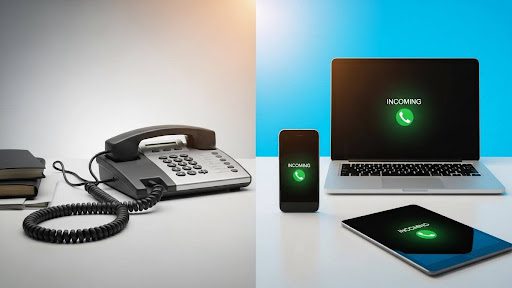
For most small businesses, virtual phone numbers offer better value than traditional landlines.
- Small businesses can see substantial cost reductions on communication expenses after switching to VoIP.
- Virtual systems include advanced features like mobile apps, video meetings, and automated attendants at no extra charge.
- Landlines still make sense for businesses in areas with unreliable internet or those requiring absolute call continuity during power outages.
If your team works remotely, travels frequently, or plans to grow, a cloud-based phone system will serve you better than copper wires ever could.
Over seven in ten American adults now live in households without a landline. Consumers and businesses alike have discovered that internet-based communication offers flexibility, affordability, and features that traditional phone lines can’t.
For small business owners, choosing a virtual phone number vs landline carries real financial weight. Every dollar spent on communication infrastructure is a dollar that could go toward hiring, marketing, or product development. The wrong choice can saddle you with outdated equipment, expensive maintenance contracts, and a phone system that can’t keep pace with how modern work actually happens.
This guide breaks down what you need to know to make a confident decision. We’ll examine real costs, compare essential features, and help you determine whether your communication needs have evolved beyond what a traditional landline can deliver.
What’s Behind the Virtual Phone Number vs Landline Debate?
The difference between these systems comes down to how calls travel from point A to point B.
Traditional landlines rely on copper wiring and the Public Switched Telephone Network (PSTN), infrastructure that has remained largely unchanged for over a century. When someone dials your landline, electrical signals travel through physical cables to the telephone company switching equipment, then are routed to your desk phone at a fixed location. This approach delivered reliable service for decades, but it comes with inherent limitations that increasingly conflict with how businesses operate.
Virtual phone numbers take a different approach. These cloud-based systems use Voice over Internet Protocol (VoIP) technology to convert voice into digital data packets that travel over your internet connection. The call quality rivals or exceeds traditional lines but without the physical constraints. Your business number can ring on a desk phone, laptop, tablet, or smartphone simultaneously, and you control exactly how calls route based on time of day, caller ID, or any other criteria you choose.
The technology behind virtual systems has matured. Early VoIP suffered from choppy audio and dropped calls, giving some business owners lasting skepticism. Modern implementations running on high-speed broadband deliver crystal-clear conversations with reliability. The shift from physical to virtual numbers is a fundamental rethinking of what business communication can accomplish.
Real Cost Comparison: Where Does Your Money Actually Go?
The sticker price on monthly service tells only part of the story. Understanding the total cost of ownership reveals why so many businesses have abandoned traditional phone systems.
Traditional Landline Expenses
Installation fees typically run $100 to $250 per line, and that’s before purchasing or leasing the physical phones themselves. Monthly service charges range from $30 to $60 per line, depending on your location and provider, but that base rate rarely covers everything you need. Features that virtual systems include as standard, such as call waiting, caller ID, voicemail, and call forwarding, often require additional monthly fees with traditional carriers.
Long-distance and international calling add up quickly on landlines. If your business regularly communicates with clients or vendors outside your local area, those per-minute charges can dramatically inflate your monthly bill. Businesses with traditional systems can save on international calls by switching to VoIP, where such calls often cost pennies per minute or come bundled in flat-rate plans. One industry comparison found that a typical VoIP setup for 12 staff costs about $800, compared to $2,500 for a comparable landline system.
Maintenance is another hidden cost. When something breaks in a traditional phone system, you’re waiting for a technician to arrive and paying for their time. PBX equipment requires regular servicing, and hardware eventually fails and needs replacement. These ongoing expenses rarely appear in the initial sales pitch but accumulate steadily over years of ownership.
Virtual Phone System Costs
Cloud-based phone services operate on predictable monthly subscriptions, typically ranging from $10 to $40 per user, depending on feature levels. That monthly fee generally includes everything: unlimited domestic calling, voicemail, call routing, mobile apps, and video conferencing. There are no surprise charges for basic features and no maintenance contracts to negotiate.
Hardware requirements are minimal. Most virtual phone services work perfectly on devices you already own. Smartphones become business phones through downloadable apps. Laptops and desktops handle calls through browser-based softphones. If you prefer traditional handsets, VoIP-compatible desk phones cost less than their landline equivalents and require no special wiring.
The financial case becomes even stronger as your business grows. Adding another line to a landline system means installation appointments, hardware purchases, and increased monthly fees. Adding a user to a virtual system typically takes minutes and costs only the standard per-user rate. This scalability difference compounds over time, particularly for businesses planning expansion.
How Do VoIP vs Landline Features Compare?
Modern business communication demands capabilities that landlines were never designed to provide. The feature gap between VoIP vs landline systems has widened considerably as cloud platforms continue evolving.
Where Virtual Systems Excel
Mobility transforms how your team can work. With a virtual number, employees answer business calls whether they’re at headquarters, working from home, or traveling. The caller experiences no difference; they dial your business number and reach the right person regardless of physical location. This flexibility is essential as hybrid and remote work arrangements become standard across industries.
Unified communications bring multiple tools into a single platform. Voice calling, video meetings, team messaging, SMS texting, and faxing all operate through one system with one login and one monthly bill. Landline users juggle separate services for each function, managing multiple accounts and reconciling multiple invoices.
Automation handles routine tasks without human intervention. Auto-attendants greet callers professionally and route them to appropriate departments. Voicemail transcription converts messages to text for quick scanning. Call analytics reveal patterns in your communication that inform staffing decisions and customer service improvements. These capabilities simply don’t exist in traditional landline environments.
Integration with other business tools multiplies productivity gains. Virtual phone systems connect with CRM platforms, help desk software, and productivity suites, creating workflows that traditional phones can’t support. Click-to-dial functionality, automatic call logging, and screen pops showing customer information before you answer are just a few integration possibilities.
Where Landlines Hold Advantages
Power outages create the most impactful vulnerability for internet-based communication. Traditional landlines draw power directly from the telephone network, continuing to function when electricity fails. VoIP systems require both internet connectivity and power to operate. Businesses in areas prone to extended outages may want backup communication methods in place.
Emergency services location accuracy favors landlines. When you dial 911 from a traditional phone, responders know your exact physical address. VoIP services offer Enhanced 911 (E911), which requires you to register your location and may not reflect where you actually are if you’re working remotely. This consideration matters most for businesses with physical locations where emergencies could occur.
Internet dependency creates a potential single point of failure. If your internet connection goes down, so do your phones. Most modern businesses have sufficiently reliable broadband that this rarely becomes an issue, but those in areas with spotty connectivity should factor this into their decision.
What Are 7 Key Signs Your Business Has Outgrown Its Landline?
Some businesses reach a clear inflection point where traditional phone systems become more burdensome than beneficial. These indicators suggest it may be time to explore phone system alternatives.
- Your team works from multiple locations. Managing separate phone systems for different offices or supporting remote workers becomes increasingly complex and expensive with landlines. Virtual systems treat every location identically.
- You’re paying for features that should be free. If your monthly bill includes separate charges for voicemail, caller ID, call forwarding, and other basic functionality, you’re overpaying for capabilities that virtual providers bundle into standard plans.
- Adding new employees is a production. When hiring someone new requires scheduling installation appointments and waiting for phone company technicians, your communication infrastructure is slowing down your growth.
- You miss calls when away from your desk. Modern customers expect to reach businesses when they call. If your phone only rings in one place, you’re missing opportunities every time you step away.
- Long-distance charges surprise you monthly. Predictable communication costs simplify budgeting. If your phone bill fluctuates based on calling patterns, a flat-rate VoIP plan offers financial clarity.
- Your current system doesn’t integrate with anything. Standalone phones that don’t communicate with your CRM, email, or other business tools create data silos and manual work that modern platforms eliminate.
- You’re embarrassed by your phone system’s capabilities. If competitors offer features like text messaging from their business number, video meetings, or automated scheduling, while you’re limited to basic voice calls, the gap affects how prospects perceive your business.
What Are the Virtual Number Pros and Cons Every SMB Should Know?
Making an informed decision requires understanding virtual number pros and cons. Here’s an honest assessment of what you’re gaining and what trade-offs exist.
Advantages Worth Considering
Cost efficiency is the most immediate benefit for budget-conscious small businesses. The elimination of installation fees, reduced hardware requirements, and inclusive feature sets translate to substantial savings that free up capital for other priorities.
Geographic flexibility opens possibilities. You can establish a local presence in any market by selecting area codes that resonate with regional customers, even without physical offices in those locations. National businesses often maintain toll-free numbers alongside local numbers for key markets, projecting both broad reach and local accessibility.
Professional image scales without enterprise budgets. Auto-attendants, custom greetings, hold music, and sophisticated call routing present a polished front to callers regardless of your actual company size. Solo entrepreneurs and small teams project the same professionalism as established corporations.
Future-proofing protects your investment. Virtual systems update continuously without hardware replacement. New features deploy automatically. As communication technology evolves, cloud platforms evolve with it, while landline infrastructure remains static.
Limitations to Consider
Call quality depends on your internet connection. Insufficient bandwidth or unreliable service can result in choppy audio or dropped calls. Before committing to a virtual system, verify that your internet service meets the provider’s minimum bandwidth requirements for concurrent calls.
Learning curves exist for staff accustomed to traditional phones. While modern VoIP interfaces are generally intuitive, some team members may need time adjusting to softphones, mobile apps, or new workflows. Plan for a brief transition period and take advantage of provider training resources.
Some legacy equipment won’t work. Older fax machines, alarm systems, or specialized devices designed for traditional phone lines may require adapters or replacement when transitioning to VoIP. Inventory any equipment connecting to your current phone system before making the switch.
What Are Phone System Alternatives Beyond Basic VoIP?
Communication providers offer several options between keeping your landline and moving to full VoIP. Understanding the spectrum helps you choose the right fit.
Hybrid Approaches
Some businesses maintain a single landline for critical functions while routing most communication through virtual systems. This approach preserves emergency calling reliability and accommodates legacy equipment while capturing most VoIP benefits for day-to-day operations.
Unified Communications Platforms
Beyond basic VoIP, unified communications as a service (UCaaS) platforms integrate voice calling with video conferencing, team messaging, file sharing, and collaboration tools. For businesses seeking to consolidate multiple communication services, these comprehensive platforms deliver value beyond phone replacement.
Mobile-First Solutions
Some providers now offer solutions that integrate directly with cellular networks rather than relying solely on internet calling. These eSIM-enabled business phone services maintain call quality even in areas with poor WiFi while still providing advanced call management features.
Frequently Asked Questions
Will I lose my current business phone number if I switch to VoIP? No. Phone number portability laws require carriers to release your number when you transfer to a new provider. The porting process typically takes one to three weeks, during which your existing service continues functioning normally. Most VoIP providers handle the transfer paperwork for you.
Is VoIP reliable enough for a business that depends on phone communication? Modern VoIP systems achieve high reliability when paired with adequate internet service. Cloud-based providers maintain redundant data centers, meaning their infrastructure continues operating even if individual servers fail. Your reliability depends primarily on your internet connection quality.
Can I use VoIP if my internet occasionally goes out? Yes, with appropriate backup measures. Mobile apps allow calls to route through cellular data when WiFi fails. Some providers offer automatic failover to mobile devices during outages. Businesses with unreliable internet may also consider maintaining a basic landline specifically for backup purposes.
How does virtual phone number vs landline quality compare? With sufficient bandwidth, VoIP call quality matches or exceeds traditional landlines. HD voice codecs used by modern systems capture more audio frequencies than standard telephone lines, resulting in clearer, more natural-sounding conversations. Quality issues typically trace to internet problems rather than VoIP technology itself.
Making the Right Choice for Your Business
The virtual phone number vs landline decision ultimately comes down to how your business operates and where you’re headed. Traditional landlines served their purpose for over a century, but the needs of modern small businesses have evolved beyond what copper wiring can deliver.
Phone.com provides the enterprise-grade features that growing companies need without the complexity or cost that typically accompanies them. Plans start with everything most businesses need, and 24/7 support ensures you’re never navigating technical questions alone. Explore your options to discover how straightforward the transition can be.